 NAM Legacy - Moonlight's Shinkansen Mod
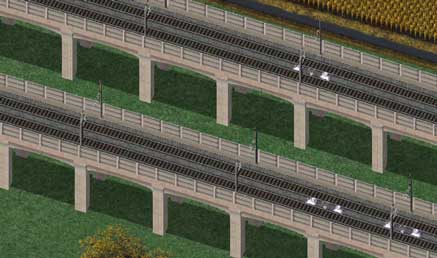
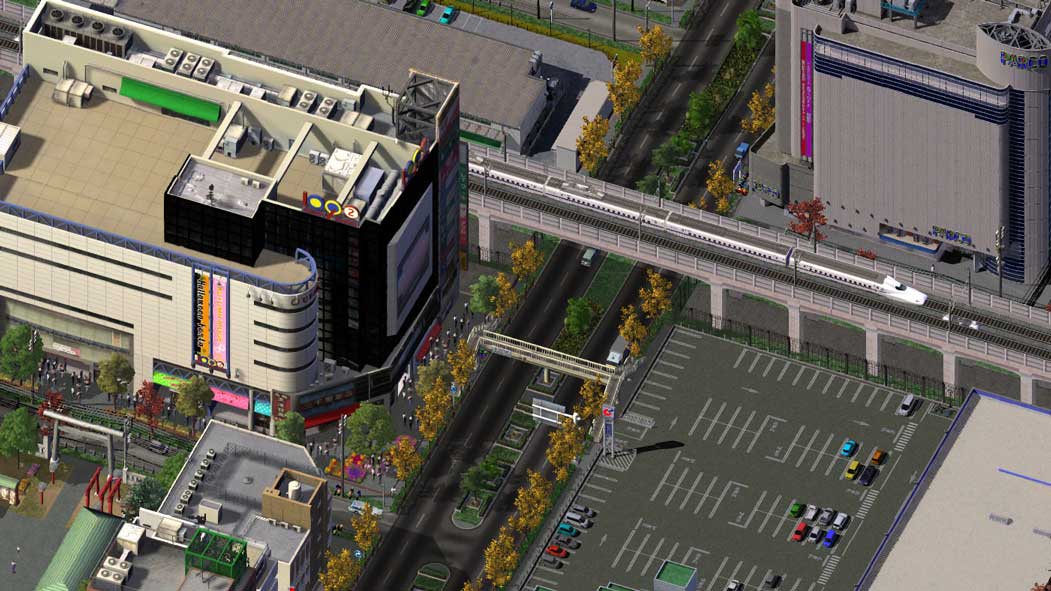
This MOD changes the appearance of the monorail network into a Japanese style Shinkansen with elevated concrete pillars. Previous versions exist, known as the Bullet Train Mod (BTM), however as of this release the name has been changed to Shinkansen Mod, to differentiate it from the older and very out of date releases.
Installation
- Click or Drag all affected Draggable sections of the Monorail.
- Demolish and Rebuild all puzzle pieces, including WRCs, L4 (High Elevated) Monorail and Bridges.
Uninstallation
If you want to remove this mod, you can just delete the entire ML Shinkansen Mod folder where it was installed, by default this would be:
Optional Selections
-
Shinkansen N700 Automata
Select this option if you want to replace the current Monorail Train (known as Automata), with a Shinkansen themed one. -
Ground Fence
If you select Ground Fence, then you will see fencing surrounding the Shinkansen network, as is typical in Japan. -
Ground Texture
Select if you would like to see the ground textures under the Shinkansen network.
- Concrete Style
Select between the following two styles for the overall look of the Shinkansen network: Cool Hue and Warm Hue
Crosslinks
These options allow you to use the Shinkansen mod in conjunction with other mods, whilst retaining the look of both.
-
NAM Maxis Highway Override
If you selected the MHO when installing NAM, you should select this option.
Do not select this option if you are using the original Maxis Highway (MHY). - Moonlight's El Rail Mod
Only install this if you also use Moonlight's Japanese El-Rail mod. - NAM RHW C Double Barrier (Legacy NAM Style)
The option exists for RHW C networks to show the older NAM style with double central concrete barriers,
users of this Legacy NAM style can select this so Shinkansen crossings will match your setup.
If you are unsure which, if any of these crosslinks to select, then most likely you do not need any of them. Since none of these selections would be installed by default.
Note: that if combined with Rivit's RUM for RRW, particularly the file H__Faded Catenary.dat, that the appearance of the catenaries will be altered as shown here. Without this additional, but highly recommended addition, the catenary models will appear brighter.
Bridge and Tunnel Support
The Shinkansen mod now includes support for all six Monorail bridges included in the NAM:
-
Level Bridge
-
Level 30m Bridge (for Elevated Monorail)
-
Y-Pier Bridge
-
AIT Bridge
-
Cable Stayed Bridge
-
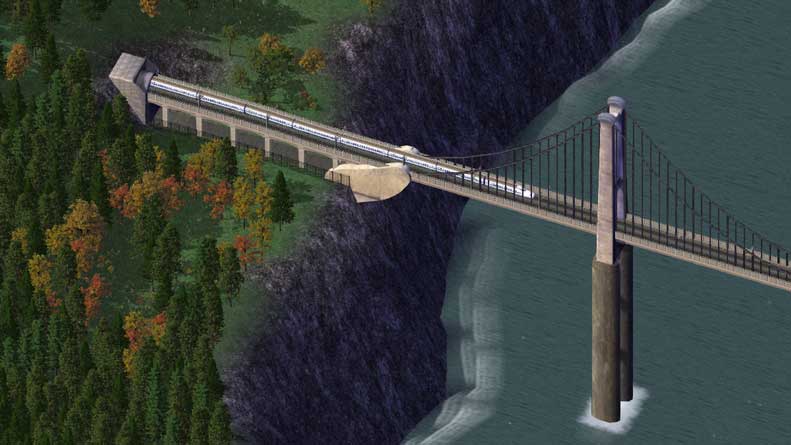
Putyrajuya Suspension Bridge (shown below)
Likewise the original Monorail tunnels are supported by the included re-skinned tunnel portal.
To help you distinguish Shinkansen Mod compatible bridges from other types, such as HSR bridges, all those supported by this mod have the label Shinkansen upon them on the bridge selection window.
Known Issues
There are a number of issues that as of this release remain either unfixed or unfixable.
-
Overhanging Networks
Certain networks in game rely on overhanging pieces, in other words do not fit on their own tile's footprint. Examples of this include the NWM ARD-3 and RHW-6S networks. This creates problems for Shinkansen crossing pieces, the models needed for which must be inside the tiles of the actual junction. In some cases crossings for these networks will be missing wall supports, pillars or ground fencing, in order to avoid blocking the roadway. In some cases however, this is simply unavoidable. -
L3 RHW over L2 Monorail
Uniquely, L3 RHW networks that cross over the Shinkansen, are not high enough such that any Catenaries will appear through the roadway. This looks terrible and so for all such crossings, Catenaries were removed when they would cause this issue to appear. As a result they are missing, but we all know they are anchored to the bottom of the roadway, even if you can't see them. -
General T21 Problems
T21s will sometimes not appear in certain situations and at present it is not clear why. For example fencing on some of the WRCs may only appear in certain rotations. Some legacy Puzzle pieces just never show the T21s as intended, again there is no obvious reason why.
As a rule, support for both Shinkansen skinned models and the T21 mod's various props is >99% complete however.
Credits
-
Moonlight
The original creator of the Shinkansen Mod, who's works are contained in this package. -
MGB
Updated the RHW crossings to Project 51 standards, in addition to adding compatibility up to version 49 of the NAM.
NAM Legacy Support Policy
NAM Legacy files are released so that the community retains access to what are otherwise legacy mods. This means that they are not necessarily being actively maintained, unlike the core NAM project itself. In practical terms that means that regular updates can not be relied upon, although it may happen from time to time. However for the most part this mod is released as-is and there is a possibility of bugs or incompatibilities with current NAM releases.