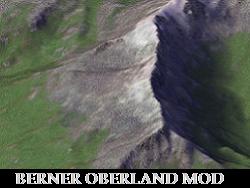
 Gobias Berner Oberland Terrain Mod
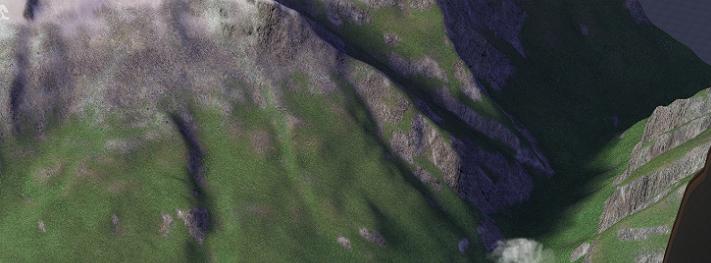
 The Berner Oberland Terrain Mod is a comprehensive mod designed to simulate the landscape of the Swiss Alps. The region is noted for it's bright green grasses, crystal-blue glacial lakes and dramatic mountain heights. As such the mod is best suited for use with mountainous maps. Included are several optional features (described below) that are designed to enhance the accuracy of the region's appearance.
- HD Terrain Mod: Requires DirectX Hardware Rendering Mode for Graphics. Will CTD with Software Rendering Mode and/or on macOS.
Installation: Copy/extract the z___Gobias Mods folder into your plugins folder, then go to the deep of the subfolders. You will find a Terrain subfolder, which has 4 additional subfolders.
This mod contains the following installable components:
z___Gobias ModsTerrainBerner Oberland Terrain
- Required: Core Mod File: Berner Oberland Textures: Includes the terrain textures necessary for the mod to function.
- Required: Choose ONE: Authentic (High Altitude) or Low altitude terrain properties. Both options include the Terrain Properties, Weather Tuning, Flora Brush and Texture exemplars necessary for the mod to function. The High Altitude option will produce snow at altitudes matching the Swiss terrain. The Low Altitude option is available for use with less-mountainous maps.
- NOTE: Authentic (High Altitude) option was developed specifically for use with nichter85's Bernese Oberland map to match the region.
- Required: INI file: Choose ONE:
- BO INI Snow: Produces snow-capped terrain w/glacier texture.
- BO INI Snow No Glacier: Produces snow-capped terrain but replaces the glacier texture with a standard snow.
- Required: Lighting Properties. Choose Standard or Longer Shadows.
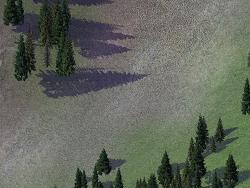
- NOTE: The Longer Shadow option produces stronger terrain shadows mimicking a lower sun-angle but has a known issue where model shadows may exhibit some slight "tearing". Unfortunately this is beyond the author's control. It is up to the user to decide whether or not they prefer the upside of longer terrain shadows in exchange.
- Optional: Maxis Base Texture Replacements - residential grass and farm field base textures better suited to match the terrain.
- This file can be removed from the plugin folder at any time without disrupting the functionality of the mod.
- Optional: Dark Night OR Maxis Night "relaxed" sunset. Slightly reduces the redness of sunset. User may choose ONE or neither.
- NOTE: The installer prompts the user to select one of these options however neither is required for the mod to function. This file may be removed from the plugin folder at any time.
z___Gobias ModsTerrainWater OR Rock OR Beach (three separate subfolders)
- Optional: Berner Oberland Water / Rock / Beach textures. Water Mod includes sun glare alpha and water side and surface gradients. All are highly recommended to complete the region's aesthetic.
- These three files can be removed from the plugin folder at any time without disrupting the functionality of the mod.
Un-Installing: To un-install the files simply delete the files from the plugins folder. This mod will install by default to a folder named z___Gobias ModsTerrainBerner Oberland Terrain in your plugins folder.
Dependencies:
To ensure the proper functionality, make sure the files mentioned below are installed in the plugins folder:
- REQUIRED: Sudden Valley Texture Pack A (now packaged in with the mod itself, no longer an external dependency).
- OPTIONAL: For users choosing to install the Dark Night lighting options you should have Simfox's Dark-Night mod installed. The Sudden Valley Terrain mod must load after the Dark-Night mod in your plugins folder.